APP REFERENCE / INTERACTIVE GUEST PREVIEW
Updated
Explore the Falcon app screens in a guest preview.
Explore the public preview linked below to try the Falcon mobile app’s Home, Categories, Product, Cart, Orders and Account screens. It runs a guest experience with a frozen public catalogue, so you can inspect the app interface and product discovery flow without private dealer access.
Open the Falcon guest preview ↗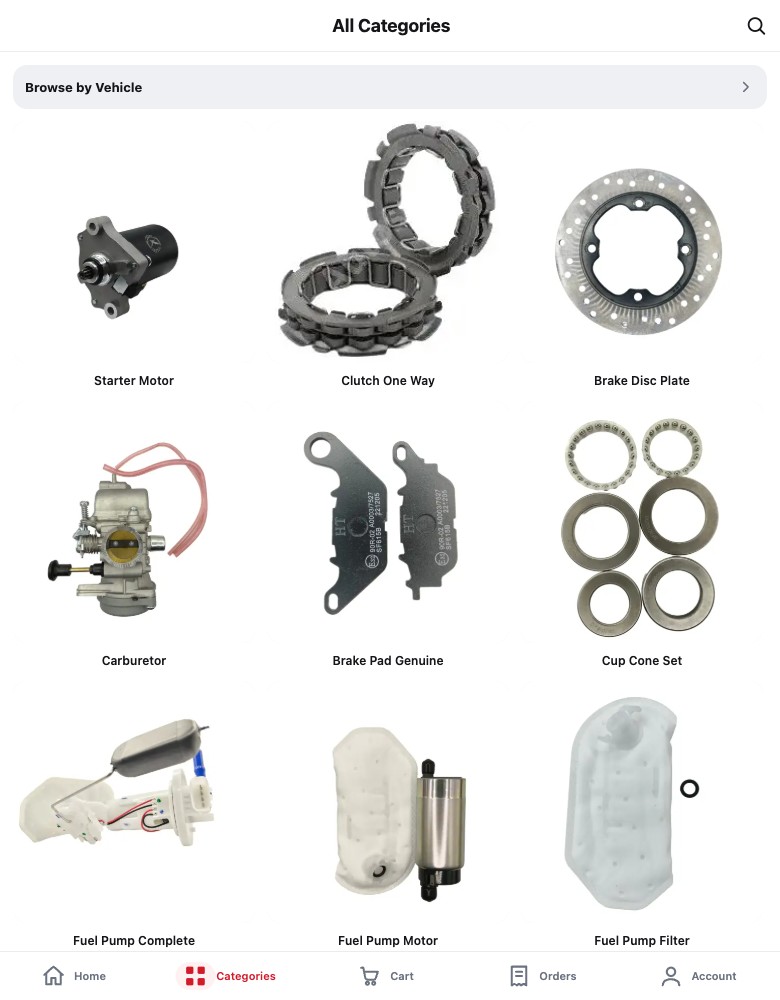
Start at Home, then browse categories
Use the Home tab to enter the catalogue, then open Categories. The category screen includes a browse-by-vehicle entry and category browsing; opening a category leads into product results. This walkthrough makes the discovery choices visible: begin with a product group or narrow by vehicle.
Open a product and inspect its detail
Choose a product to see the detail screen. The source includes an image carousel, fitment and video area, product description, image zoom and a sticky add-to-cart control. These are screen capabilities from the app source; guest-preview controls do not submit a production order.
Understand what the preview represents
These are the actual Falcon app screens, adapted into a public browser preview with a fixed sample of public product information. Explore the layout, category navigation and product details here; account-specific functions stay outside the preview. The Falcon International website shows the separate public catalogue experience.
Decide what a similar app needs
For a parts app brief, identify the recurring user, the product fields needed for fitment, and the task after product discovery. Then define which information is public, what requires an account, how catalogue data stays current and whether the app must support a real transaction. Those decisions set scope; a screen preview alone cannot answer them.
Website and app: two ways to inspect the work
| Reference | Inspect | Use it to decide |
|---|---|---|
| Falcon International website | Public catalogue, bike-fitment search and dealer sign-up route | Which product details and trade-buyer next step a B2B website needs |
| Falcon app guest preview | App-source Home, Categories, Product, Cart, Orders and Account screens with frozen public catalogue data | Whether a recurring mobile workflow merits an app and what should remain account-gated |
Before we start
Can I place an order in this preview?
No. It is an isolated guest preview using a frozen public catalogue. It does not expose dealer prices, private accounts or production ordering.
Is this a separate app mockup?
No. It reuses the original Falcon mobile app interface rather than a separate visual mockup. Its public catalogue is frozen for demonstration, so it does not represent live stock or dealer pricing.
Does this show an app-store release?
No release or store availability is established by this preview. It is an interactive way to inspect the guest-facing interface.
LET’S MAKE IT
Tell us what you have in mind.
Based in Gurugram, with primarily online delivery. Clients across India and internationally are welcome.